Smart Door Locks Compared: Keyless Entry, Fingerprint & Smart Key Lock Technology
12.1.2026
What is a Smart Door Lock?
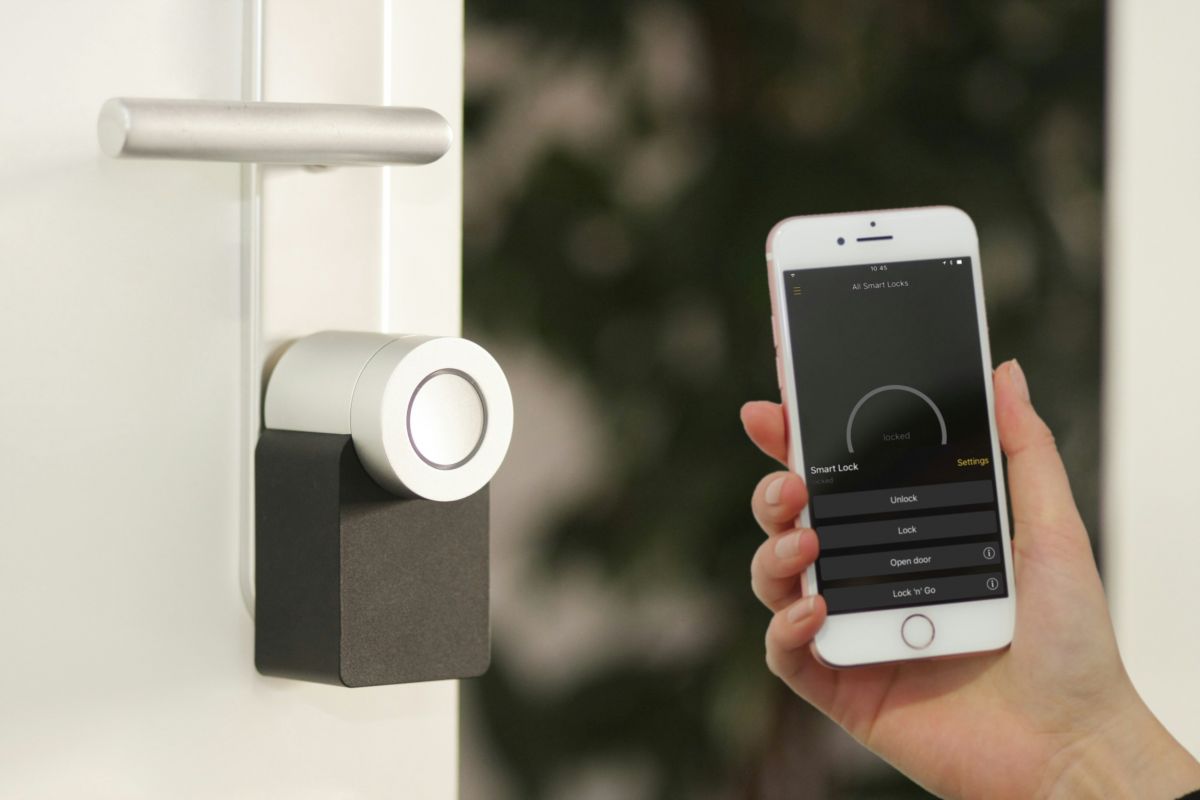
A smart door lock replaces or upgrades a traditional lock and allows you to unlock your entrance using a smartphone app, PIN code, fingerprint sensor or wireless authentication instead of a physical key. Many models also support remote access, temporary guest codes and auto-lock functions - making them especially useful for busy households, rental properties and frequently used front doors.
Types of Smart Door Locks
Keyless Entry Smart Door Locks
Key less entry smart locks give access without a physical key. Entry is granted via keypad, smartphone, NFC tag or automatic proximity detection. These locks are well-suited for front doors that need frequent access management
Practical advantages
-) Very convenient for everyday use
-) Ideal for households with multiple users or guests
-) Easy to manage time-limited access codes
Considerations
-) Pins must be kept secure
-) Bluetooth-only models have limited remote control functionality
Fingerprint & Biometric Smart Locks
Fingerprint smart locks authenticate users with a biometric sensor. This makes them fast, intuitive and highly secure. Fingerprint smart locks are ideal for users prioritizing both security and convenience.
Benefits
-) Stronger protection than traditional keys
-) No risk of losing keys or sharing copies
-) Very quick unlocking - often within one second
Things to keep in mind
-) Sensor quality matters, the lock might be exposed to weather
-) Slightly higher price range compared to keypad models
Hybrid Smart Key Lock Systems
Hybrid models combine several access options into one device. They provide maximum flexibility but may require more frequent firmware updates and careful setup of connectivity.
Smart Door Lock Comparison - Key Criteria
Below we compare how different smart door lock types perform across essential factors.
Practicality
A smart key lock improves everyday handling:
-) (if biometric) there is no need to search for keys at the entrance
-) Auto-unlock and auto-lock reduce user effort
-) Guest Access is easy to manage from the app
Security
Security levels vary by technology. But be aware that a smart door lock should always complement a high-quality mechanical lock rather than replace it entirely.
-) Fingerprint smart locks offer strong biometric protection
-) Encrypted wireless communication prevents digital tampering
-) Auto-lock and event history logs add accountability
-) Mechanical backup keys remain important for emergencies!
Connectivity
Smart door locks typically support one or more of the following:
-) Bluetooth - energy-efficient local control
-) Wi-Fi - enables remote access and notifications
-) Smart-home protocols - ideal for connected homes/Smart homes
Note: Wi-Fi models offer greater functionality, while Bluetooth lock usually deliver longer battery life.
Battery Life
Battery performance differs depending on features and usage:
-) Bluetooth-based locks: 8-14 months or more
-) Wi-Fi and biometric locks: 6-12 months
These locks are not calls “smart” for nothing. Before the batteries run out, most smart locks will notify you that the battery level is low.
Final Thoughts
A smart door lock can enhance security, flexibility and everyday comfort at your front door. Whether you choose keyless entry, fingerprint authentication or a hybrid smart key lock, the right system should match your door type, installation needs, connectivity preferences and usage habits.
With thoughtful selection, a smart door lock delivers peace of mind, smarter access control and a seamless entry experience every day, but keep in mind that it should be additional to a classical mechanical lock to make sure to have a reliable backup opening mechanism just in case.